eMAPTv2-review

If you are reading this, you are probably standing at the edge of the “Web Security” pool, looking over at the “Mobile Security” ocean and thinking, “Man, that looks like a lot of different architectures.”
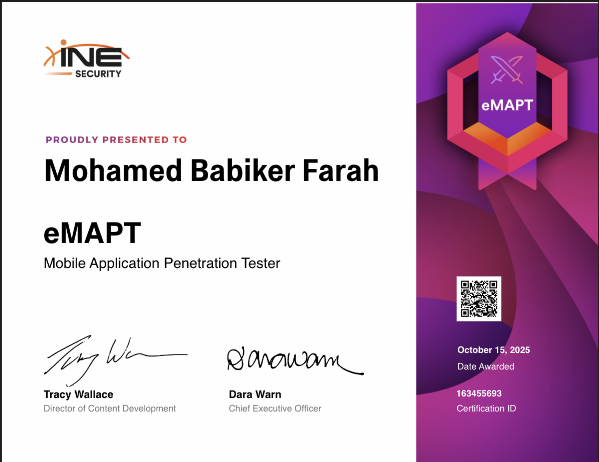
So, I finally sat for the eMAPT (eLearnSecurity Certified Mobile Application Penetration Tester). If you’re looking for a cert that isn’t just a “point-and-click” exercise, this is it. It’s 100% hands-on, and it forces you to move past the theory and actually build tools to break things.
My journey with Android started way back. I was 13 when I rooted my first device, and I’ve been fascinated by the ecosystem ever since—spending years navigating XDA, custom ROMs, and the endless cycle of breaking and fixing the OS.
While that hands-on experimentation made me very comfortable with Android internals and low-level quirks, I realized recently that I’ve never approached mobile pentesting formally. I’ve done the ad-hoc stuff—bypassing root detection, intercepting traffic, patching APKs—but I’ve missed out on the structured, full-scope red-team methodology. That’s the gap I’m looking to close now.
Once you start researching mobile/APK security paths, you’ll notice two certifications dominating the conversation: eMAPT (INE Security) and PMPA (TCM Security). After digging through feedback and, yes, getting a bit of inspiration from Carlos Polop XD, I went ahead and chose eMAPT.
I wanted to write this very long, detailed review not just to say “I passed,” but to dump my entire brain while the information is fresh. We’re going to talk about my specific setup (Waydroid FTW), the methodology that actually works, and the specific rabbit holes you need to avoid.
Grab a coffee. Let’s hack some APKs.
Lab Setup (Don’t skip this):

Emulator: Waydroid (rooted with Magisk) + scrcpy for display.
Proxying: Burp Suite + waydroid_proxy_burp scripts.
Analysis Tools: MobSF (Static), Jadx-GUI (Reversing), Frida & Objection (Dynamic).
Networking: HTTP Toolkit (highly recommended for modern Android SSL bypassing).
Waydroid
Most people will tell you to just download Android Studio’s AVD or Genymotion and call it a day. I took the road less traveled, and honestly, it gave me a massive performance edge.
I use Waydroid on a Linux host. If you haven’t used it, it’s basically a container-based approach to Android. It talks directly to the kernel, meaning it’s blazing fast compared to the sluggish emulation of AVD.
But you have to do some additional stuff … at least this is what made me comfortable both for the eMAPT and bug bounty :
Rooting: I used Magisk (and Zygisk module). Without root … for example you need a root in order to run the frida-server ! among other stuff (accessing storage … /data/data)
The Proxy: Setting up Burp Suite with an emulator can be annoying because you constantly have to toggle the proxy settings in Android. I got tired of clicking through menus, so I wrote bash scripts to handle it via ADB:
waydroid_proxy_burp: Sets the global http_proxy to my host machine’s IP.waydroid_no_proxy: Clears it instantly.Why this matters: During the exam, you will switch between “intercepting” and “Googling syntax” constantly. These scripts saved me cumulative hours.
The Certificate Problem (Android 14+)
Here is a “gotcha” that catches everyone. In older Android versions, you just dropped a certificate in the User store and you were good. In modern Android (14+), apps ignore user certificates by default.
I had to use a Magisk module (or the script from HTTP Toolkit) to mount a tmpfs overlay on /system/etc/security/cacerts. This forces the OS to treat my Burp CA as a System CA. If you don’t do this, you will stare at “SSL Handshake Failed” errors for 12 hours.
alwaystrustusercerts module
Tips
Let me save you a headache: You can skim parts of the first module. But do NOT skip modules two or three — they’re essential.
The course design is strange. For example: The exam requires bypassing protections with Frida, but the training does not include a single practical lab that forces you to use Frida. It’s mentioned lightly in a few videos, but never properly applied. That’s why the last module becomes critical.
Do not rely on INE alone — trust me. I added a month of TCM Security’s mobile course on top of the eMAPT content to fill in gaps. Their explanations are solid. Still, it helped reinforce important concepts.
The Exam
The exam is split into three components:
1- Theoretical questions
2- Static analysis exercises
3- Two full Android APKs + 2 IOS IPAs to analyze + extract flags from
For the theory part, I wrote everything by hand and double-checked afterward.
Both APKs require bypassing protections using Frida, which is funny considering the official training barely teaches it in depth.
The exam window is 12 hours, and you need to answer 45 questions/flags with a minimum passing score of 70%.
I finished in about 6 hours and 30 minutes.
Final Verdict:
The eMAPT is challenging but incredibly rewarding. It forces you to think like a developer to understand how to break the code. Stay curious, keep hooking, and remember to “Try Harder!”
- Title: eMAPTv2-review
- Author: Depe
- Created at : 2025-10-18 07:26:43
- Updated at : 2026-01-10 13:40:50
- Link: https://depe.blog/eMAPTv2-review/
- License: This work is licensed under CC BY-NC-SA 4.0.